July 8, 2018 · 5 min read
chrome
Hidden color picker in Chrome dev tools
Archived from the old blog. Original URL: https://tomauger.gitlab.io/posts/2018-07-08-color-picker-chrome-dev-tools/.
A hidden gem in the Chrome dev tools is the color picker.
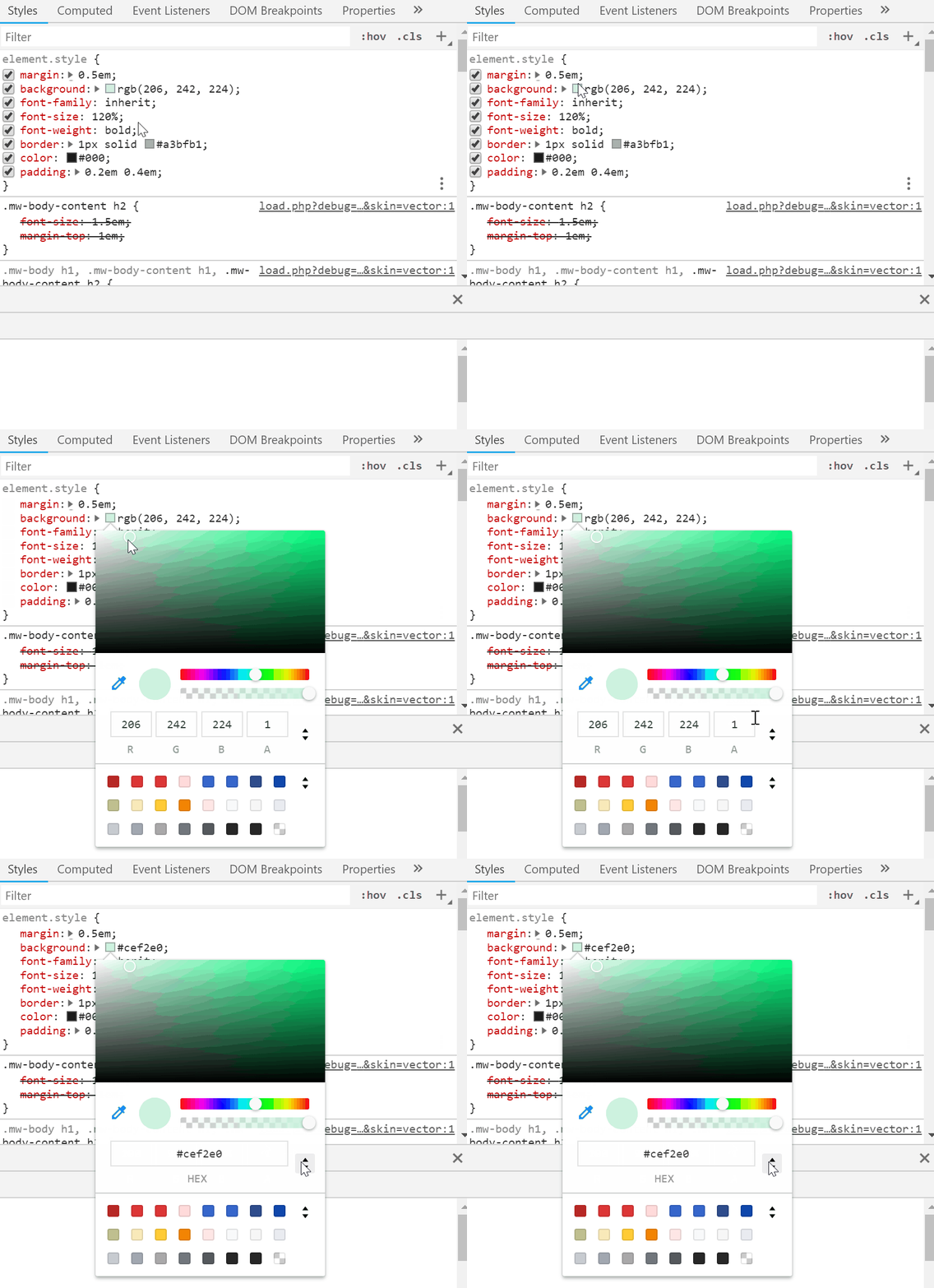
To activate it, open the dev tools (Ctrl+Shift+I), find any css declaration that specifies a color (e.g. color: or background-color: ), and click on the little preview square:
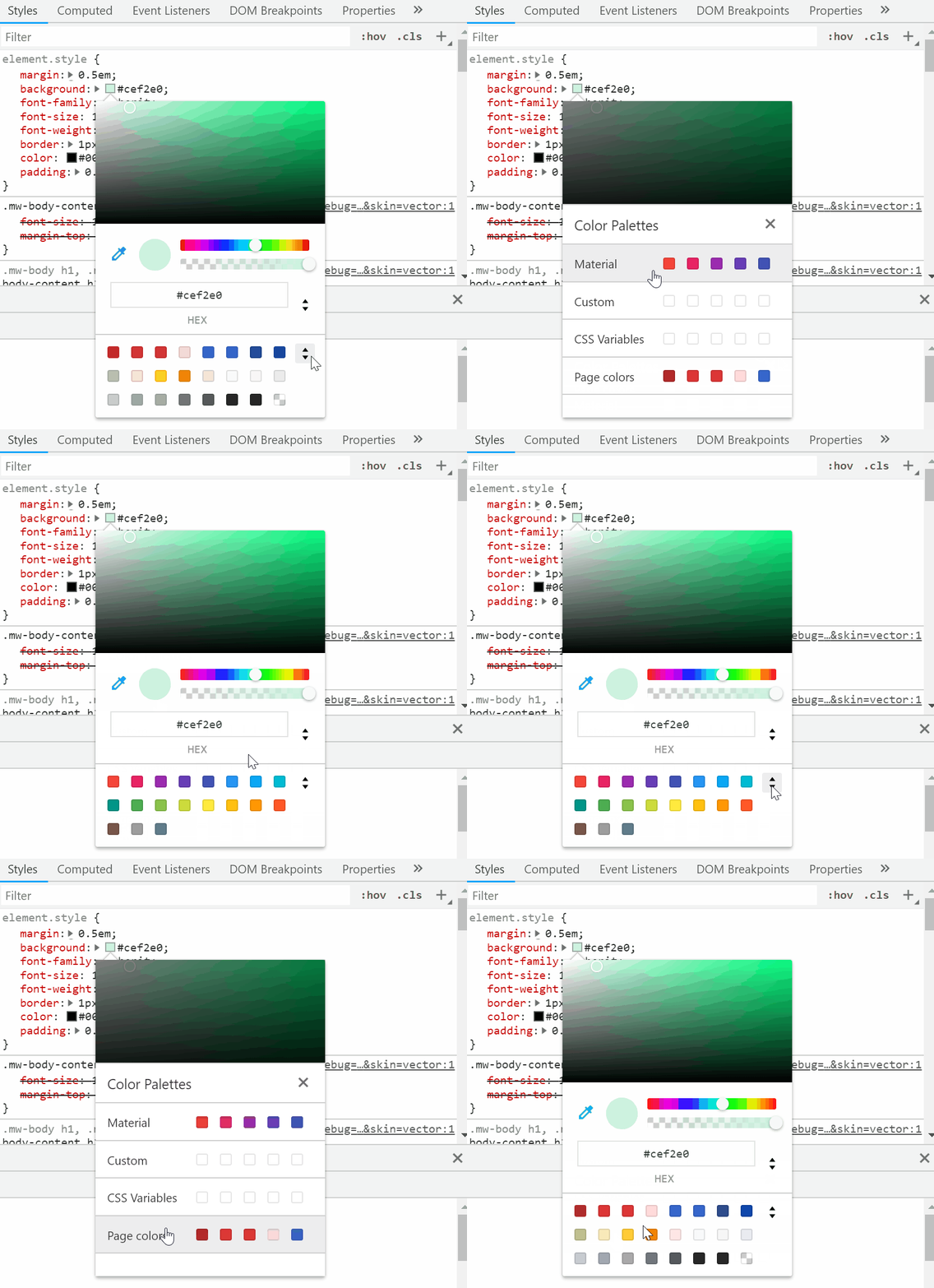
You can see a list of related colors from a number of pallettes including material design:
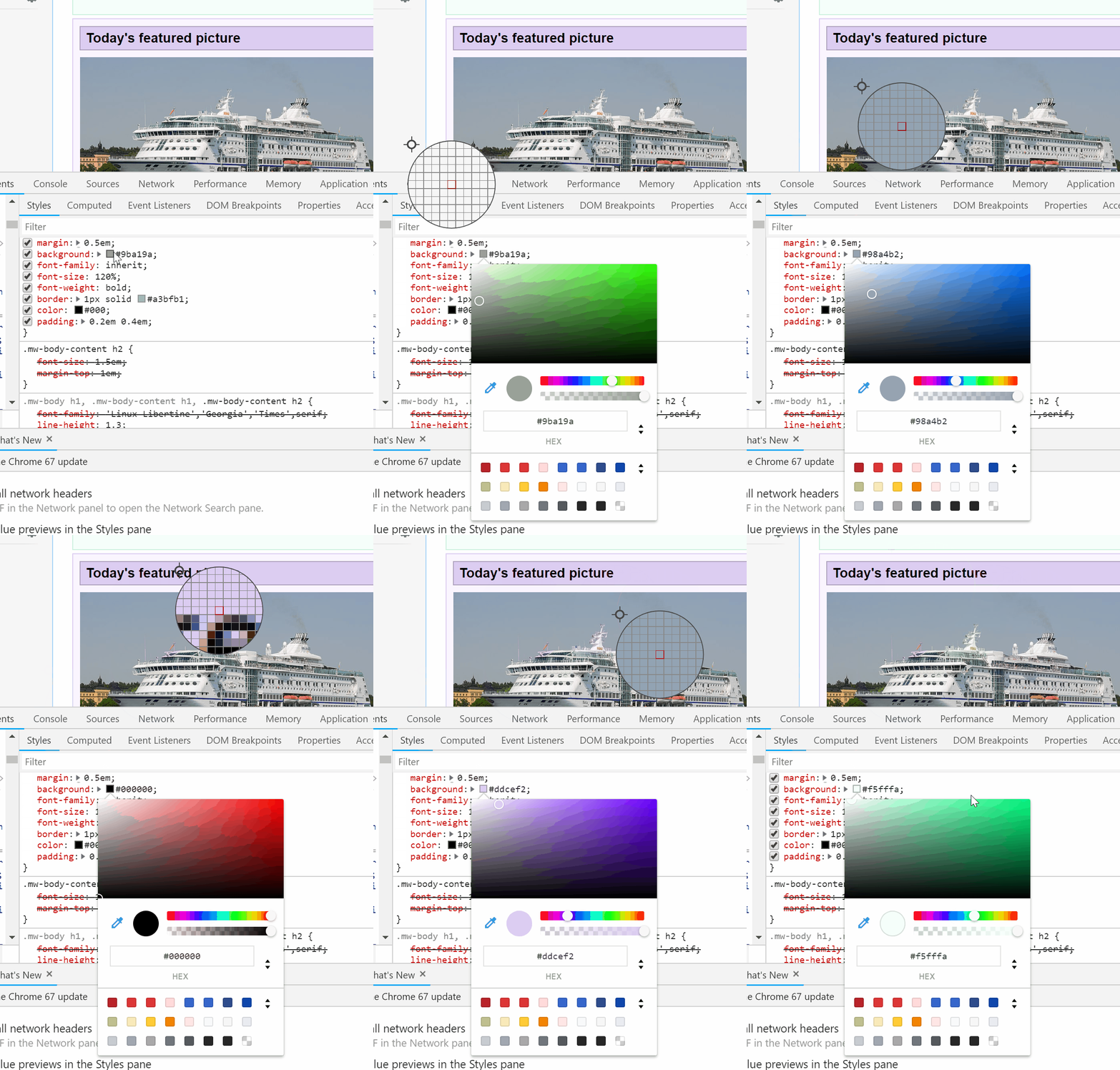
Finally you can determine the color of web page elements using the eye-dropper tool: