June 20, 2018 · 5 min read
javascript
Two tricks with the Chrome developer console
Archived from the old blog. Original URL: https://tomauger.gitlab.io/posts/2018-06-20-two-chrome-dev-console-tricks/.
How to easily copy values to the clipboard, and how to pretty print objects and collections.
Copying to the clipboard with copy
Suppose you want to copy the value of a variable to the clipboard. Rather than printing it out and then manually selecting and copying it you can do:
const a = 'Something to copy ...';
copy(a);

// Clipboard now has contents "Something to copy ..."
You can also copy objects, which will be stringified to JSON:
const a = {
  fruit: 'banana',
  quantity: 10,
};
copy(a);

/*
 *  Clipboard now has contents:
 *  {
 *    "fruit": "banana",
 *    "quantity": 10
 *  }
 */
Pretty print with console.table
Use console.table to pretty print lists or objects in the developer console. For example:
console.table(['banana', 'apple', 'pear', 'plum']);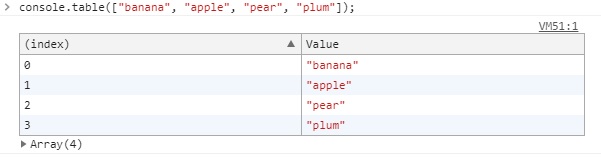
The rows can be sorted by clicking on the column headers.
You can also pretty print objects, for example:
console.table({ fruit: 'banana', quantity: 12, price: 1.55 });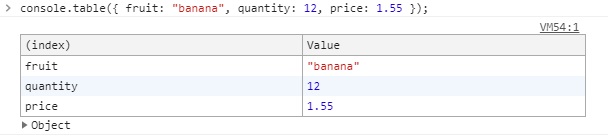
and an array of objects:
const receipt = [
  { fruit: 'banana', quantity: 12, price: 1.55 },
  { fruit: 'apple', quantity: 5, price: 0.67 },
];
console.table(receipt);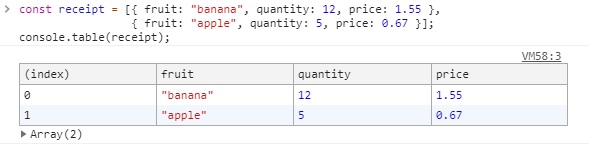
References
- See the MDN page for a full description of what you can do with
console.table.